Digital Starter Programme
About Course
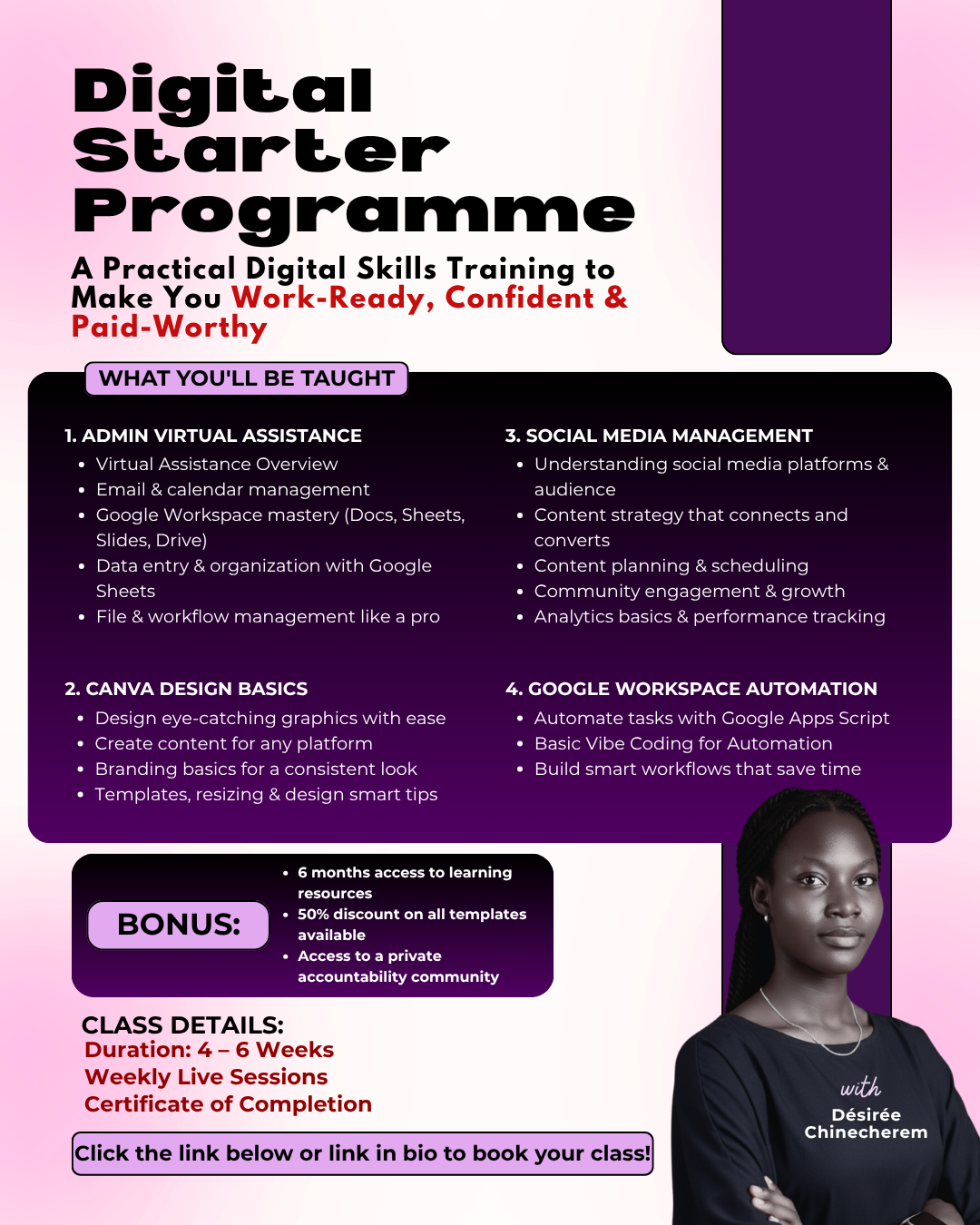
Digital Starter Programme is a practical, project-based program covering five in-demand skills: Admin Virtual Assistance, Canva Design, Social Media Management, Meta Ads, and Google Workspace Automation. Every module combines live teaching with hands-on practice, so by the end of the 5 weeks, you’re not only holding a certificate, but also a portfolio of real work you can show a client or an employer.
No prior experience is required. If you can send an email and browse the internet, you already have what you need to start.
What You’ll Learn
Week 1 – Admin & Virtual Assistance: Build a complete digital workspace: email and calendar management, Google Workspace (Docs, Sheets, Slides, Drive), data entry, spreadsheets, and file organisation systems used by real virtual assistants.
Week 2 – Canva Design Basics: Learn design fundamentals; colour, typography, layout and build a full brand kit and set of branded social media graphics from scratch.
Week 3 & 4 – Social Media Management + Meta Ads: Learn content strategy, content planning, community management, and analytics, then move into Meta Ads fundamentals; campaign structure, targeting, and performance metrics. You’ll build a full social media and ad strategy for a real business scenario, including a sample ad campaign.
Week 5 – Automation + Work Ready Skills: Learn to identify repetitive tasks and automate them using Google Apps Script and AI-assisted scripting. Then prepare for the real world: client communication, time management, and building a professional portfolio to start applying for remote roles.
Spots are limited to keep the training practical, personal, and interactive.
Course Content
Admin Virtual Assistance
-
Time & Task Manangement
15:27 -
Google Mail Overview
24:55 -
Google Calendar Overview
19:56 -
Google Form Overview
21:02 -
Google Drive & Keep
19:06 -
Part 1: Data Entry {Excel}
33:52 -
Part 2: Data Entry
09:47 -
Google Slides Overview
22:16 -
AI Tool for Presentation
11:35 -
Google Sheet for VAs
44:52 -
Google Docs Overview
16:25 -
Meeting Coordination & Use of AI
19:46
Canva Design
Social Media Management
Meta Ads + SMM Analytics & Content Writing
G-Suite Automation + Work Ready
Student Ratings & Reviews
